Claude AI Tutorial for Beginners: All Six Levels

Most people using Claude are using roughly a tenth of it. They open the chat box, type a question, read the answer, close the tab. That is level one of six.
What follows is a map of all six: what each level actually does, a worked example at every step, and whether it costs money. I also name the level most people should stop at, which is not the top one.
Every example comes from one small business, a coffee roastery called Third Window, so you can follow a single thing being built instead of reading thirty disconnected tips. Substitute your own as you go. A newsletter, a job hunt, a dissertation. The levels behave the same way.
The video version, where every screen is shown on camera. 13 min 30 sec. Watch on YouTube
- 0:00The ladder
- 1:19Level 1 · Talk to Claude
- 3:23Level 2 · Give it your world
- 4:59Level 3 · Make real things
- 6:04Level 4 · Make it know you
- 7:33Level 5 · Connect your apps
- 9:13Level 6 · It works without you
- 11:07Above level 6 · Claude Code
- 12:15The verdict
Six levels, and the right destination for most people is the fourth:
- Talk to Claude. Ask in three parts: context, task, format. Free.
- Give it your world. Upload the document rather than describing it. Free, except Research.
- Make real things. Spreadsheets with live formulas, pages you can click. Free.
- Make it know you. Projects and memory, so context survives between chats. Mostly free.
- Connect your apps. Calendar, Drive, Gmail, Slack, plus skills for repeat jobs. Free with limits.
- It works without you. Hand over a folder and leave. Paid.
The first four improve work you already do. The last two only repay their setup once you have a genuinely repetitive job to hand over.
Two caveats before the levels. Interfaces move, so follow the reasoning rather than hunting for a button in the position described. And every figure here was verified against Anthropic's own pages in September 2026; pricing, plan limits and model names change often enough that you should treat the structure as durable and the numbers as perishable.
What is Claude AI?
Claude is an AI assistant built by Anthropic. You write to it in plain language and it writes back, generates files, reads documents you hand over, and on paid plans acts on connected apps and folders without supervision. It runs in a browser, as a desktop application, and on phones.
The chat box is where everyone begins, and it is the smallest of the six rooms available.
| Level | What it does | Cost |
|---|---|---|
| 1. Talk to Claude | Ask well, refine by replying | Free |
| 2. Give it your world | Files, images, live search, deep research | Free, except Research |
| 3. Make real things | Files you can open, pages you can click | Free |
| 4. Make it know you | Projects and memory | Mostly free |
| 5. Connect your apps | Connectors, MCP, skills | Free with limits |
| 6. It works without you | Folder access, approvals, scheduled tasks | Paid |
Level 1: Talk to Claude
What it is: the chat box, used deliberately. Cost: free.
The interface takes five minutes to learn. Asking well takes practice, and it accounts for most of the gap between a generic answer and a usable one.
The repair is a three-part request:
- Context is everything Claude has no way of knowing. Who you are, what you sell, who buys it.
- Task is the specific job. Not "write some copy" but "write the bag description for the Ethiopia Guji".
- Format is the shape of what comes back. Length, tone, and how it should land.
Request coffee copy without any of that and you get something that would suit any roastery anywhere, because nothing in the question narrowed it. Supply all three and the reply is specific enough to print, with no change to the model, the plan or the price.
The second habit is smaller and saves more time. When an answer is close but wrong, resist opening a fresh chat. Reply to it instead. Everything you have already established remains in play, so corrections stack rather than reset: halve the length, keep the closing line, lose the third paragraph. Treat each response as a draft rather than a verdict.
Which Claude model should you use?
Model names turn over every few months, so the tiers are more useful to remember than the list. Haiku is the quick one. Sonnet handles most everyday work. Opus and Fable are the expensive, deliberate ones, worth reaching for when an error would be costly to fix.
Separate from the model is an effort setting, which governs how long Claude reasons before answering. Raise it for problems with many dependent steps.
Both choices draw on an allowance that refills on a cycle. Exhausting it costs nothing but time. If you are trying to decide when to start paying, a workable threshold is this: stay on free until the ceiling interrupts you twice in the same week.
Level 2: Give Claude your world
What it is: handing over your own documents, images and live web results instead of paraphrasing them. Cost: free, except Research.
At level one Claude knows only what you typed. At level two it reads your material directly, which removes both the summarising work and the errors that creep in when you summarise.
One piece of housekeeping first. Keep a chat to a single job and start a new one when the subject changes. Long threads drift off-topic, and they consume more allowance than several short focused ones.
Documents. A wholesaler's price list is the sort of PDF that normally means a calculator and twenty minutes. Asking which option is cheapest per kilo and where the catch is took seconds, and it surfaced the condition buried in the small print: the cheapest lot carried a sixty kilo minimum order.
Images. Photograph a product on a table and ask what is working against it commercially. In this case the background was competing with the product for attention. Screenshots, handwritten notes, contracts and bank statements all work the same way.
Search is free and it shows where each claim came from. Build the habit of opening one source whenever the answer matters, with this tool or any other.
Research is the paid version of the same idea, reading well over a hundred pages and returning a report with every source cited. It also consumes allowance faster than anything else described here, so reserve it for decisions with money attached: switching supplier, buying a house, signing a contract.
Level 3: Make real things
What it is: output that leaves the conversation as a file or a working page. Cost: free.
Everything above produces text inside a chat. Level three produces artefacts you can open, send and keep.
Ask for a spreadsheet tracking roasts, with eight sample rows and a margin column, and a genuine spreadsheet file arrives with a working formula in that column rather than typed numbers. Alter a cost and the margins recalculate. Documents, slide decks and PDFs behave the same way, and paid plans add dedicated tools in Claude Docs and Claude Slides.
The second kind is assembled live alongside the conversation. A landing page for the roastery appears as it is being written, and revisions happen by request: warmer background, larger headline. From there it can be pushed somewhere nobody planned, turning the page into an interactive quiz that recommends a roast, which you can then click through yourself.
That is one sentence to a working tool, in roughly two minutes.
Level 4: Make Claude know you
What it is: projects and memory, so context survives between conversations. Cost: mostly free.
Everything so far carries a hidden overhead. Each new chat begins with you as a stranger, re-establishing the same background before any work starts. Level four removes that, and for most people it is the single largest improvement available.
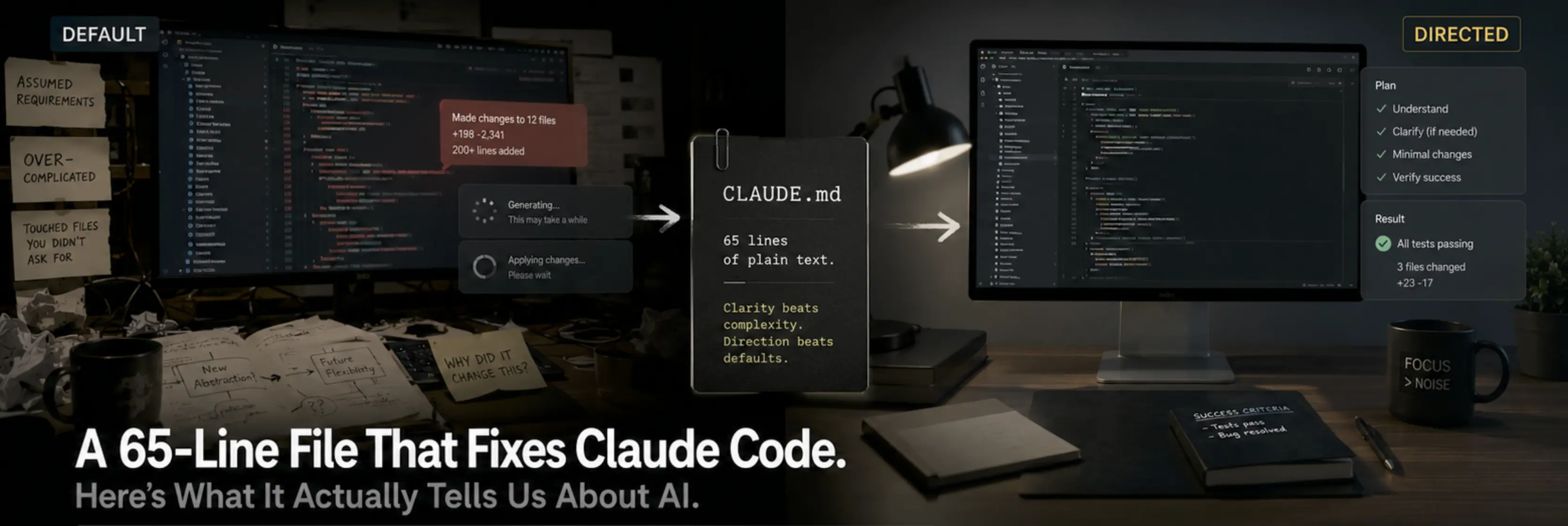
A project is a shared workspace. Several chats live inside it and draw on the same material. Files are uploaded once. Instructions are written once. For the roastery that meant the supplier list, the research report, and three lines of brief: small roastery, plain warm voice, customers brewing at home. Writing those instructions well is a skill of its own, and the 65-line CLAUDE.md file built from Karpathy's complaints is the best worked example of it I have seen.
Requests then get very short. Eight words, "give me three angles for the launch email", returns something already aware of the products, the tone and what is in stock, because the context lives in the workspace rather than being retyped into every message.
That one change did more for my week than the other five levels combined.
Memory operates in the opposite direction. Claude retains things it notices as you work, without being asked, and carries them across the web app, desktop and phone. It is inspectable rather than hidden: you can read what has been stored, correct it by saying so, or delete it outright.
When you would rather nothing were retained, the ghost icon opens an incognito chat. It is never saved, contributes nothing to memory, and is not used for training.
Level 5: Connect your apps
What it is: giving Claude access to the tools you already use. Cost: free, with limits.
This is the first level where Claude works on live data rather than a copy you pasted in.
Connectors cover Calendar, Drive, Gmail and Slack without any setup beyond authorising them. You approve access once, then ask in ordinary language. A question like "where did my hours actually go last week" is answered from the calendar itself, with nothing exported and nothing pasted.
The authorisation screen is worth reading slowly rather than clicking through. It itemises precisely what you are granting, and every item on it can be revoked later.
MCP covers everything outside the built-in list. It is an open standard that behaves like a universal adapter, letting any tool make itself available to Claude; you connect one by pasting in a server address. Expect two things. The first authorisation attempt frequently fails, which is normal rather than a mistake on your part. And free plans permit a single connection, so choose which one carefully.
Paid plans additionally run Claude inside Chrome, so it can work on whatever page is already in front of you.
Skills are the last component here. A skill is a written procedure for one recurring job: the steps, their order, and the standard to hit. Install it once and it becomes available in every subsequent conversation, either called explicitly with a slash or picked up by Claude when relevant. The same prompt against the same deck produces visibly better output with the right skill installed, because the skill supplies the standard that a prompt alone leaves unstated.
Level 6: Claude works without you
What it is: unattended work on a folder, governed by permissions and schedules. Cost: paid.
Until now you were present for everything. You asked, it answered, you read the result. Level six is where you stop supervising.
This launched separately as Cowork and has since been absorbed into Claude, so it now sits next to Chat on web, desktop and mobile. It requires a paid plan.
Setup begins by granting access to exactly one folder. Nothing else on the machine is visible to it.
Then give it something tedious. A folder of supplier invoices, with an instruction to read each one, extract the date, supplier and amount, and compile them into a single sheet.
Before anything executes you choose a supervision level: confirm every action, proceed freely but pause at anything risky, or never pause. Run the first job on the strictest setting no matter how trivial it looks. Observing how it handles your files once tells you more than any description of what it is supposed to do.
It works through the files and writes the finished sheet into the folder as a real file, not as a message you then have to copy out.
Scheduled tasks are the same mechanism on a timer. Define the job once, choose a cadence, and trigger a test run so the permissions resolve before the first live one. The Monday report can be sitting there before you are.
If you run a small business, there is now a library of prebuilt jobs rather than a blank page: a Monday brief, closing the books, proposals, lead follow-up, marketing. They connect to software small companies already pay for, including QuickBooks, Shopify, Stripe, Xero and HubSpot, with roughly thirty more available.
Above level six: Claude Code
The name deters the people most likely to benefit from it. Claude Code runs on the same capability as level six, pointed at building software instead of organising files, and the conversation happens in ordinary English. It writes code because software is made of code; you are not expected to read any of it.
Two illustrations. A site design handed over became a working website on the machine in about twenty minutes. Two elements arrived broken, the images and the email signup, and describing the problem was enough to get both fixed.
The second is more interesting. At level six, Claude sorted a folder of invoices once. Asked instead to build a tool, it produced one: add a coffee to the spreadsheet, double-click, and printable labels come out the other side. That tool runs without opening Claude at all, which means no queue, no chat window and nothing drawn from the allowance.
That is the argument for the top of the ladder, and also the reason most people do not need to climb there yet. I wrote about running an entire studio this way in Claude Code for non-developers.
Which level should you stop at?
Level four, for reasons that have nothing to do with capability.
Levels one to four improve work you are already doing, every day, whatever the job. Levels five and six only repay their setup once you have a task that is genuinely repetitive, clearly defined and dull. Most people have not identified one yet, so they build the automation first and then go hunting for something to feed it, and it sits unused.
Reach level four and stay there for a month. If five and six are worth it in your situation, the need will make itself obvious without you looking for it.
What to do in the next hour
- Write one request containing all three parts, context, task and format, then compare it with how you asked yesterday.
- Take the dullest document you own, a lease, a policy, a bank statement, and have Claude explain it back to you.
- Create one project, add two files, and write three lines of instruction.
The third takes the longest and returns the most.
So which level are you actually on? I stayed on the first for months, which is the entire reason this exists.
Frequently asked questions
Is Claude AI free?
There is a free tier, and the first four of the six levels run on it either entirely or almost entirely. Paid plans are required for four things specifically: Research, the Claude Docs and Claude Slides tools, Claude inside Chrome, and unattended work on a folder. Usage on every tier is metered by an allowance that replenishes on a cycle, so running out on the free plan costs time rather than money. A practical trigger for upgrading is being blocked by that ceiling twice inside one week.
How do you write a good Claude prompt?
Split the request into three components. Begin with the situation Claude has no way of inferring, such as your role, your product and your audience. State the specific job rather than a category of job. Then describe what a good answer looks like, including length and tone. Identical requests with and without those components produce dramatically different output from the same model. When a reply is nearly right, correct it inside the thread instead of restarting, because the established background carries forward and your corrections accumulate.
What is a Claude Project and how is it different from a normal chat?
A project groups several conversations around one shared set of materials and instructions. You upload the relevant files and write the brief a single time, and every chat opened inside that project inherits both. The practical effect is that your requests shrink: a short sentence returns work that already reflects your business, your tone and your inventory, because none of it needs restating. For most people it is the highest-return feature in the product.
What is the difference between Claude Projects and memory?
Projects are deliberate and scoped. You decide what goes into one and which conversations draw on it. Memory is automatic and global, accumulating details Claude observes during ordinary use and following you between the web app, desktop and mobile. Neither is a black box: anything stored can be reviewed, amended by instruction, or erased. To keep a conversation out of both, the incognito option leaves no record and contributes nothing to model training.
What are Claude Skills?
A skill documents how one recurring task should be performed, written as plain instructions rather than code: the sequence to follow and the quality bar to meet. Once installed it persists across conversations and can be triggered by name with a slash, or selected by Claude when the task fits. Skills earn their keep on work you repeat in a consistent shape, where the output standard matters more than how you happen to word the request.
What is the difference between Claude Skills and MCP?
They solve different problems. Skills are instructional, describing how to carry out a job properly. MCP is infrastructural, an open standard that lets external software expose itself to Claude so it can read and act on real data. Calendar, Drive, Gmail and Slack ship as ready-made connectors; MCP fills in everything else, configured by supplying a server address. Two practical notes: the initial authorisation frequently fails and needs retrying, and free accounts are limited to one such connection.
What happened to Claude Cowork?
It is no longer a separate product. Anthropic merged the capability into Claude, where it now appears alongside Chat across web, desktop and mobile, behind a paid plan. The workflow is unchanged: grant access to a single folder, describe the task, and select how much supervision you want before execution begins. Treat the first run as a test and keep it under full manual approval regardless of how routine the task looks.
Which Claude model should a beginner use?
Specific names are replaced often enough that the tiers matter more than the labels. One tier optimises for speed, one covers general daily work, and a heavier tier exists for tasks where an error would be expensive to correct; at the time of writing those are Haiku, Sonnet, and Opus alongside Fable. A separate control governs how deeply Claude reasons before replying, worth increasing for multi-step problems. Heavier models and deeper reasoning both draw down your allowance more quickly.
Do you need to know how to code to use Claude Code?
No. It shares its foundation with the unattended mode at level six, redirected toward producing software rather than organising documents, and you direct it in ordinary language throughout. Code gets generated because that is what applications consist of, but reading or editing it is not part of the workflow. It sits above the six levels, and the majority of users will not need it.
Which Claude level should most people stop at?
Four. The first four levels upgrade work you are already performing daily, whatever your profession. The upper two only justify their configuration effort once a task exists that is repetitive, well-specified and tedious, and most people cannot yet name one. The common failure is building the automation first and then searching for something to run through it, which leaves it dormant. Settle at level four for a month; a real need for five or six will surface on its own.
Sources
Everything here was checked against Anthropic's own pages in September 2026. Prices, plan requirements and model names move, so take the shape and check the current figure.
Get the next post
New writing on AI and creative technology. No spam, unsubscribe anytime.
Delivered by Substack
Keep reading


Creative technologist and AI Forward Deployed Creative at Original Copy Studio.